It watches your library, judges every subtitle, and installs the one that fits.
Self-hosted subtitle automation for multiple languages — seven sources across languages, with the deepest Chinese catalog coverage available.
AGPL-3.0 · one Docker container · your keys stay on your server
What it searches, and what it checks
Seven sources across languages
- OpenSubtitlesGeneral coverage across 105 languages.
- SubDLInternational catalog; free API key.
- ASSRTChinese-focused archive; free API key.
- R3SUBOfficial Traditional Chinese tracks from Taiwan releases.
- JimakuJapanese-focused source.
Plus SubHD and Zimuku, two keyless Chinese community sources that ship disabled by default. The setup wizard only shows the sources relevant to your target language.
Identity and timing checks
Every candidate is checked against the actual video before it’s installed — the right title and episode, with timing that lines up. A candidate that fails never touches your library.
capability
TMDB identification
Filenames lie. Before any source is searched, every file is resolved to a real title against TMDB — the right movie, the right season, the right episode.
capability
LLM translation
No usable subtitle in your language? The translation lane produces one from a Japanese or English source, using your own LLM key.
No media server required
It scans your folders directly and writes the subtitle next to the video file. Jellyfin, Emby, and Plex pick it up — but none of them is required.
Language coverage, in plain terms
- Chinese — the deepest coverage: four dedicated sources.
- Japanese — a dedicated source (Jimaku).
- The other eight selectable languages (EN/KO/ES/FR/DE/PT/RU/IT) — equally first-class in the pipeline, with search covered by OpenSubtitles’ 105 languages and SubDL’s international catalog.
Non-Chinese sources are thinner today. If you want your language covered better, a provider adapter is a narrow, well-defined contribution: the interface is four members — name, enabled, search, resolve — and fits on one screen.
How a subtitle gets installed
Discover
It scans your media folders directly — no Jellyfin, Emby, or Plex required — and finds every title that’s missing a subtitle in your target language.
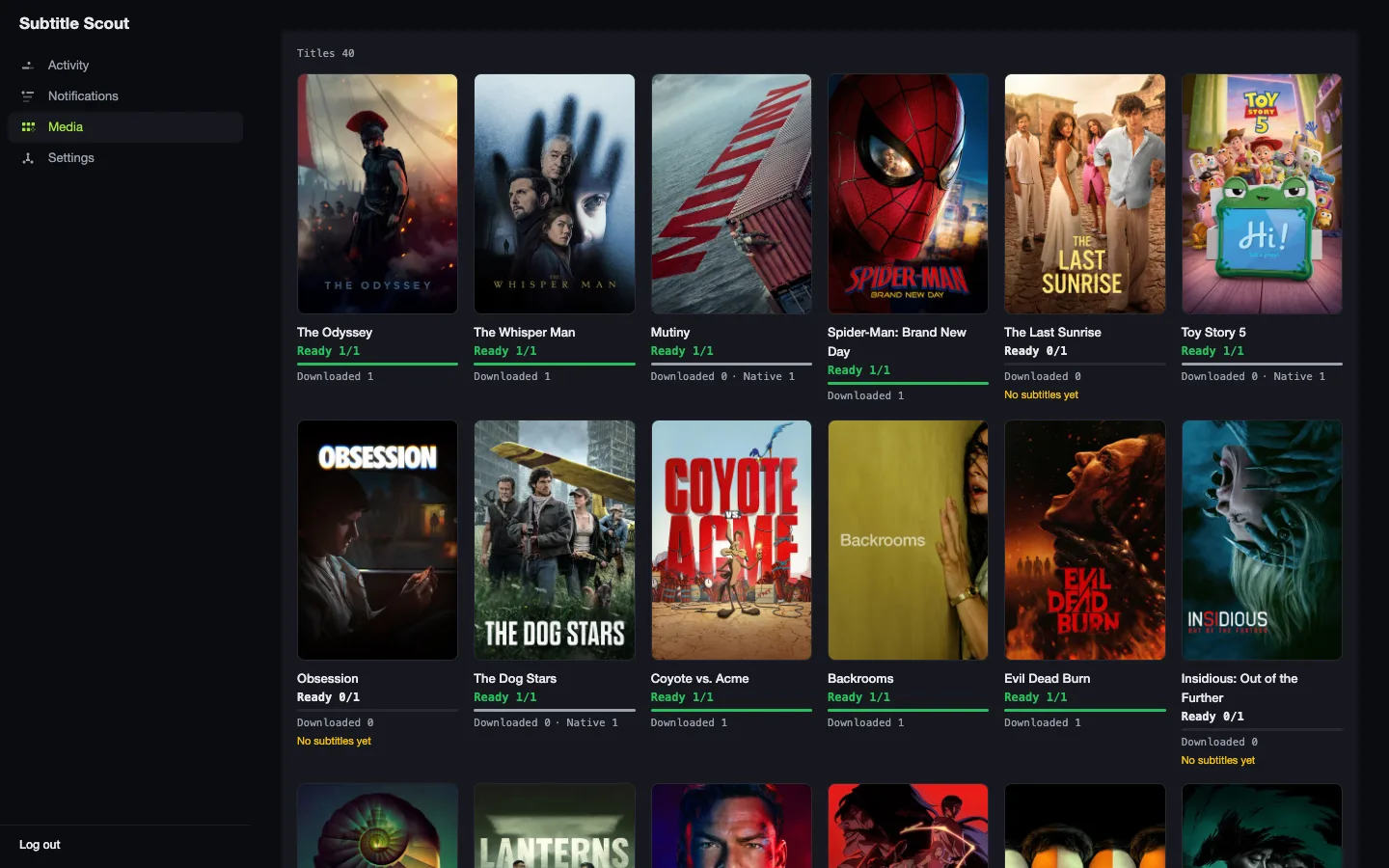
Judge
It searches the sources relevant to your target language, then ranks and verifies candidates against the actual video — identity and timing — before picking one.
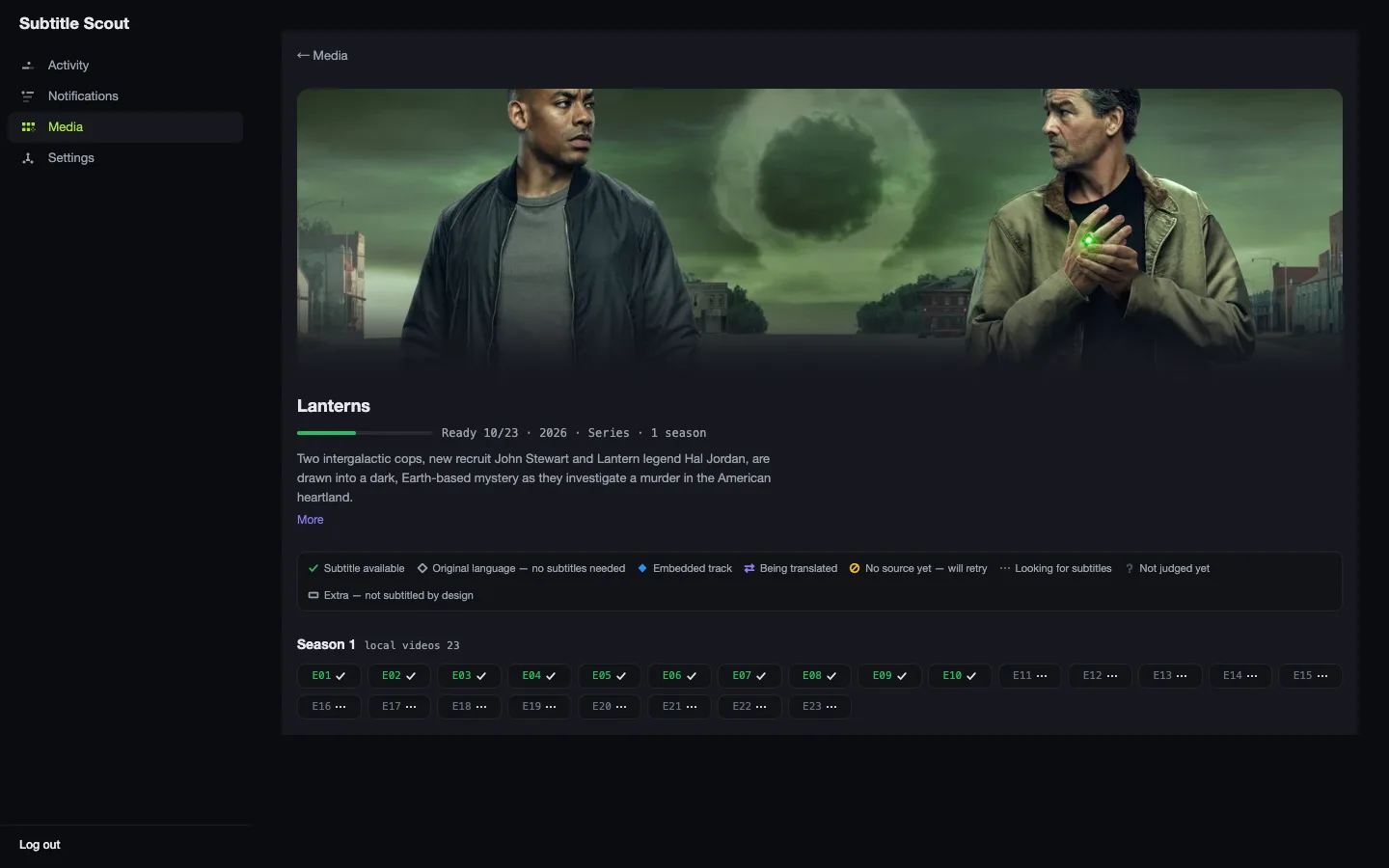
Install
The chosen subtitle is written next to your video file, named so any player picks it up. When no usable source exists, the LLM translation lane can produce one.
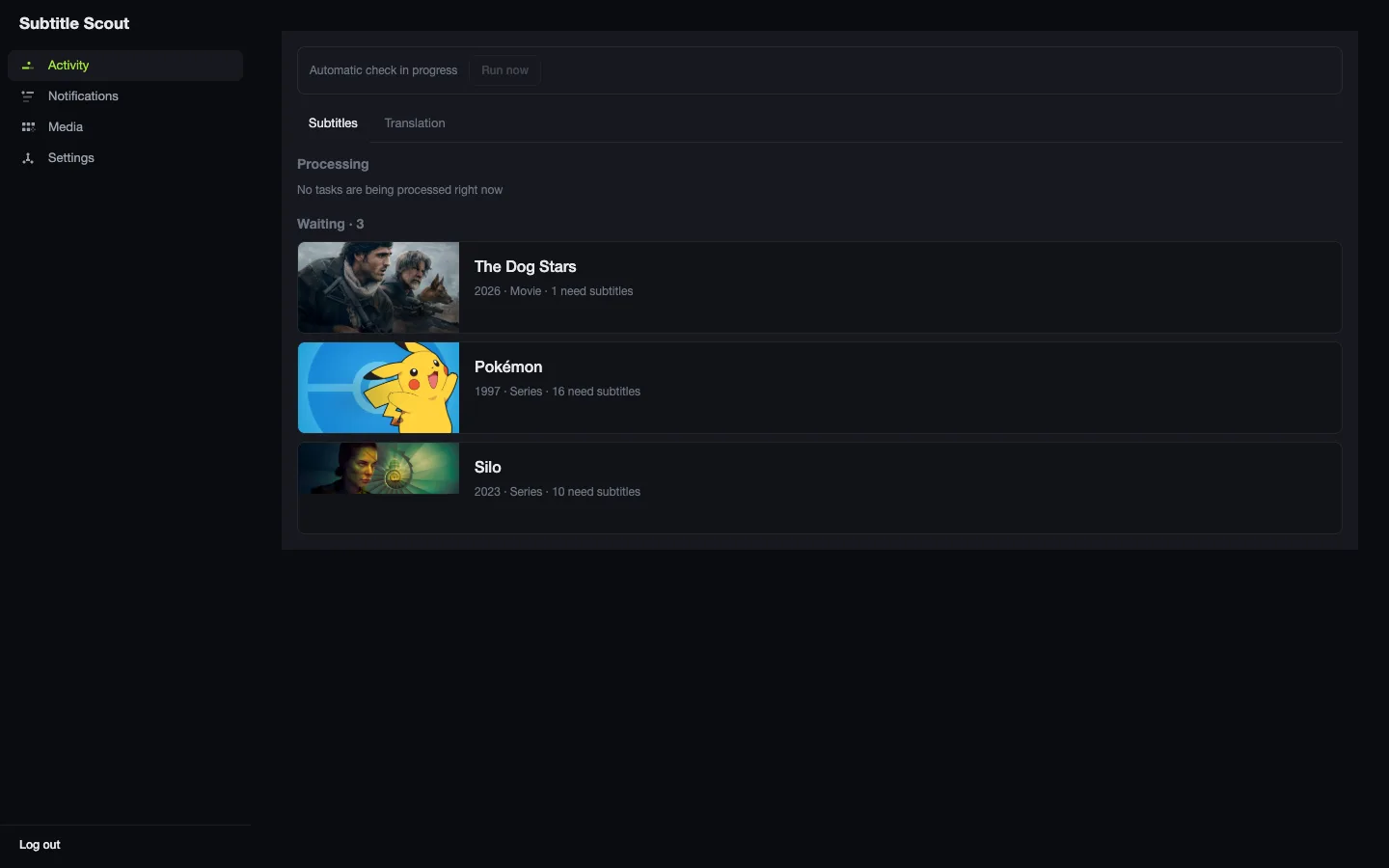
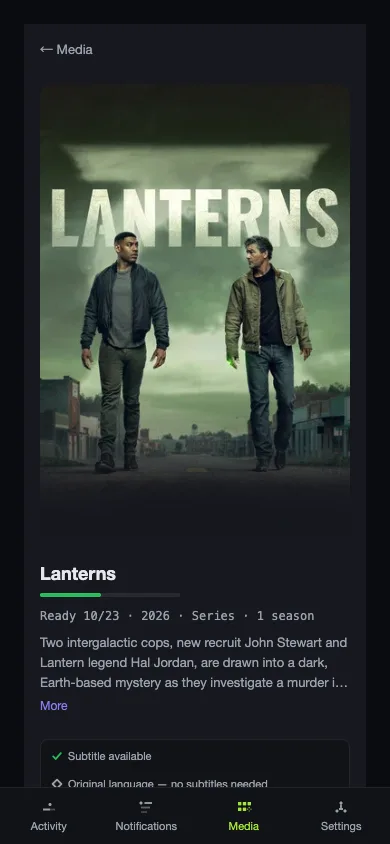
The full dashboard runs on your phone, with bottom-tab navigation.
Up and running in one command.
Runs anywhere Docker does — a NAS, a home server, or a VPS. Configure TMDB, your subtitle sources, and your LLM through the setup wizard after it starts; no credentials go in the compose file.
# docker-compose.yml
services:
  subtitle-scout:
    image: ghcr.io/fancydirty/subtitle-scout:latest
    restart: unless-stopped
    ports:
      - "8099:8099"
    volumes:
      - /:/hostroot      # browse and pick media folders from the dashboard
      - ./cache:/cache
    environment:
      TZ: Asia/Shanghai

# then
cp .env.example .env
docker compose up -d
If ghcr.io is slow or blocked from mainland China, swap the image prefix for the mirror:
image: ghcr.1ms.run/fancydirty/subtitle-scout:latestBefore you install
- Do I need my own API keys?
- Yes. TMDB is required and free; ASSRT is strongly recommended for Chinese coverage and also free. You bring your own keys and control your own usage — nothing is proxied through anyone else’s server.
- Is this only for Chinese subtitles?
- No. Any of the ten selectable target languages works end-to-end, and the setup wizard derives which sources matter for yours. Chinese simply has the deepest catalog — four dedicated sources — Japanese has its own, and OpenSubtitles and SubDL cover the rest. The translation lane can fill the gaps.
- Do I need Jellyfin, Emby, or Plex?
- No. Subtitle Scout scans your filesystem directly and writes subtitle files next to your videos — any media player picks them up on its own.
- What’s the license?
- AGPL-3.0. And because it’s self-hosted, your media library, your credentials, and your viewing habits never leave your own server.